 Michael Turner
 Key Takeaways
- The Monogram oven F2 over-temperature error means the cavity exceeded the safe temperature range, and the site treats it as a stop-and-call fault.
- F2 is unrelated to F7 (a stuck keypad button) — F2 involves the sensor, relay, or heating element, not the control panel.
- A drifted sensor, a stuck relay, or a shorted bake element are the most common causes.
- Running a self-clean cycle or another bake to test the fault is not safe — self-clean runs hotter than any regular setting.
- Diagnostic work starts from $120, and sensor replacement, the least expensive likely fix, is the most common outcome.
The Bottom Line
The Monogram oven F2 over-temperature error means stop using the oven and book a diagnostic — it points at the sensor, relay, or heating element, not something to run through another cycle to confirm.
A Monogram wall oven that posts F2 is reporting an over-temperature condition — the cavity has exceeded the temperature the control called for, and this is one of the codes on this site's own error pages treated as a genuine hazard rather than an inconvenience. The Monogram oven F2 over-temperature error is not the same fault as F7, a stuck keypad button covered elsewhere on this site; the two involve entirely different systems.
| Code | What it means | Severity |
|---|---|---|
| F2 | Oven over-temperature | Stop and call a technician |
| F1 | Oven sensor fault | Diagnose before running again |
| F7 | Stuck function key | Low severity, easy fix |
| F9 | Door latch timeout | Diagnose before running again |
What Does the Monogram Oven F2 Code Mean?
F2 means the oven's internal temperature has risen above the safe operating range the control expects for the cycle running — commonly, well above the temperature that was set. This is different from F1, a sensor fault, in an important way: F1 means the control cannot trust its temperature reading at all, while F2 means the reading is trusted and it is genuinely too high. A control that has confirmed an over-temperature condition responds by cutting power to the heating elements, which is the safety behavior this code exists to trigger. This shutoff behavior is by design, and it is worth understanding as protective rather than as the failure itself — the oven cutting its own power is the system working, while whatever pushed the temperature past its limit in the first place is the actual fault waiting to be found. Owners who have experienced an oven cutting off mid-bake sometimes describe it as the oven "dying," when in most cases the control board, the display, and the door lock are all still functioning normally — only the heating circuit has been deliberately disabled until the fault is cleared.
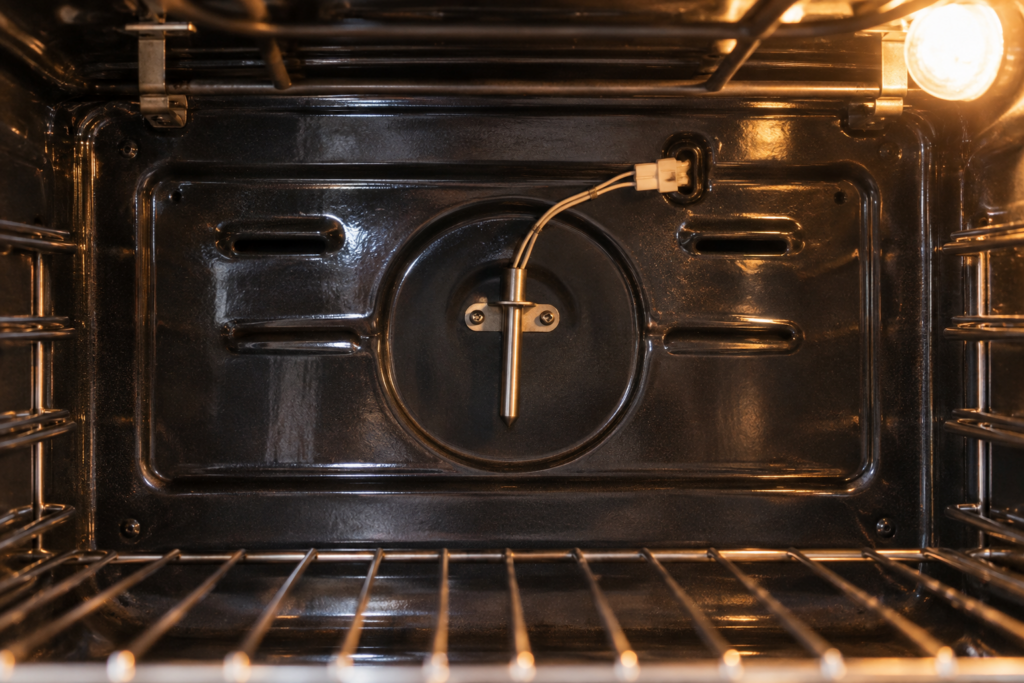
Is It Safe to Keep Using an Oven Showing F2?
No. This is one of the clearest stop-and-call codes on this site, because an oven that has genuinely overheated has already demonstrated that its normal temperature control failed once — running it again is testing whether that failure repeats, with a heating appliance, inside a kitchen. The most common underlying causes are a temperature sensor that has drifted out of calibration, a relay on the control board that has stuck closed, or a bake element that has developed a short circuit to its own control.
- Turn the oven off at the control and disconnect power at the breaker rather than just cancelling the cycle.
- Do not run a test bake to see if the fault repeats — an over-temperature event is not something to reproduce deliberately.
- Note what was baking and at what setting when the code appeared, since a runaway that happened at a low setting points more strongly at a relay fault than one that happened at a high setting.
- Book a diagnostic before using the oven for anything, including a self-clean cycle, which runs hotter than any bake setting and would stress the same failed component further.
What Actually Causes F2 on a Monogram Oven
- A drifted or failing temperature sensor. A sensor reading low tells the control to keep heating past the point it should have stopped.
- A stuck relay on the control board. A relay that welds itself closed keeps the bake element powered regardless of what the sensor reports.
- A shorted bake element. An element with internal damage can draw continuous power even when the control has told it to cycle off.
- A miswired replacement part from a previous repair, which is why any oven that has had recent control-board or element work is worth mentioning to the technician diagnosing F2.
None of these are things to test by running the oven again. A technician isolates which of the four is responsible with the power disconnected and the relevant panels removed, which is also the only safe way to handle a suspected shorted element.
What to Do Right Now If You See F2
Beyond the immediate steps above, a few details help a technician diagnose faster once you do book a visit:
- Check whether the oven light and display still work — if the control board itself lost power entirely, that points toward a different fault than a relay stuck closed.
- Smell for anything unusual before opening the oven door, and if you notice a burning smell, leave the door closed and the breaker off until a technician arrives.
- Avoid opening the oven immediately after the code appears — trapped heat escaping suddenly is its own minor hazard right after a genuine over-temperature event.
- Write down whether this has happened before — a first-time F2 and a recurring one point at different levels of urgency for the technician scheduling your visit.
How Is F2 Different From the F7 Keypad Fault?
F7, covered in our earlier guide to Monogram oven F7 stuck key errors, is a control-panel issue — a button pressed too long or a membrane that has trapped moisture, and it stops the oven from responding rather than putting it at risk of overheating. F2 is a heating-system issue involving the sensor, the relay, or the element itself, and it is treated with a completely different level of urgency on this site's own code pages for exactly that reason. Confusing the two — assuming F2 is "just a button problem" because F7 sounds similar — is the mistake this guide exists to prevent.
What an F2 Repair Costs
Diagnostic work on a Monogram oven over-temperature fault starts from $120, and it typically includes testing the sensor, checking the control board relay under load, and inspecting the bake element circuit before anything is replaced. The most common fix is sensor replacement, which is the least expensive of the likely causes; a control board replacement, needed less often, costs more in parts. Every quote is confirmed in writing after the fault is isolated. Our oven repair service and broader Monogram oven safety guide cover this and related hazard codes. Schedule a visit before using the oven again.
If F2 turns out to be one of several issues on an older wall oven, our guides to is it worth repairing a Monogram oven and Monogram oven repair or replace cover the broader decision — though a single sensor or relay fault on an otherwise sound oven is rarely, on its own, a reason to replace the whole unit. A built-in wall oven represents a significant investment in cabinetry and installation on top of the appliance itself, which is part of why most F2 cases end in a straightforward sensor or relay repair rather than a conversation about replacement.